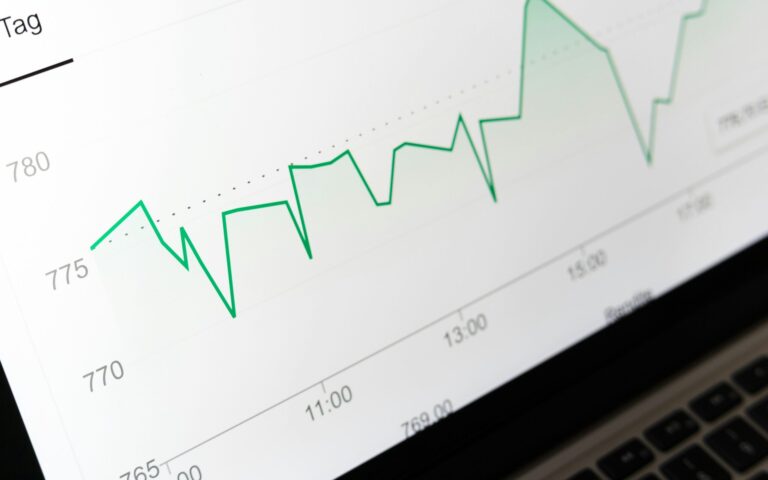
Data drives decisions. For Shopify store owners, understanding analytics is essential—not just helpful—for growth. Shopify Analytics serves as your compass, guiding you where to invest effort, what strategies to pivot, and how to maximize profit.
If you’re just getting started on Shopify, mastering analytics may feel intimidating, but it doesn’t need to be. With the right steps, you can easily translate complex numbers into clear strategies that help your store thrive.
This beginner’s guide explains everything you need to know about Shopify Analytics, from navigating the dashboard to using insights to optimize sales, marketing, and beyond. By the end, you’ll feel confident about setting goals, analyzing customer behavior, spotting trends, and implementing effective strategies using Shopify Analytics.
Understanding the Shopify Analytics Dashboard
Shopify Analytics Dashboard is the central hub for tracking and improving your store’s performance. It delivers crucial insights about sales, traffic, and customer behavior, all at a glance.
Why the Analytics Dashboard Matters?
Imagine trying to grow your business without knowing what’s working. That’s like trying to bake without measuring ingredients! Shopify Analytics simplifies this by presenting vital data like revenue, top-performing products, and customer details in one accessible space.
Key Components of the Dashboard
- Sales Overview: Displays daily, weekly, or monthly revenue to track progress.
- Traffic Insights: Shows where your customers come from (e.g., social media, search engines) and how they interact with your site.
- Customer Breakdown: Provides demographic details like location, age group, and purchasing habits.
- Live View: Allows you to monitor real-time activity, including live orders and active visitors.
Tutorial for Beginners
- Log in to your Shopify Admin.
- Head to “Analytics” from the left-hand menu.
- Explore the default dashboard or select specific reports.
- Customize the date range (e.g., weekly, monthly) for targeted analysis.
Pro Tip: Bookmark Live View during sales events to identify spikes in real time.
Setting Up Goals and Tracking Conversions
A well-defined goal anchors your growth. Whether you’re focusing on increasing sales, reducing abandoned carts, or boosting customer lifetime value, Shopify Analytics can help you hit that target.
How to Set Goals in Shopify Analytics
- Identify your priorities. For example, “Increase sales by 15% in Q1.”
- Zero in on key metrics like average order value (AOV), conversion rate, or repeat purchase rate.
- Use Shopify’s “Custom Reports” to monitor progress.
Tracking Conversions Step-by-Step
- Create unique UTM parameters for campaigns (to track clicks, conversions, and sales).
- Add UTM links to ads, social posts, emails, etc.
- Access conversions in the “Marketing Reports” section of your Analytics Dashboard.
Why It Matters: Defined goals give direction to your efforts and provide a measurable way to assess ROI.
Analyzing Customer Behavior
Understanding your customer isn’t just nice; it’s critical. Shopify Analytics reveals how visitors become buyers, which products catch their attention, and what stops them from completing a purchase.
Key Customer Metrics to Focus On
- Bounce Rate: How many visitors leave after viewing just one page.
- Time on Site: The average duration of customer visits.
- Top-Converting Pages: Pinpoints high-performing product pages.
Actionable Tips
- Improve product descriptions on high-converting pages to amplify sales.
- Reassess pages with high bounce rates and test new layouts or offers.
- Use “Collections” to group complementary products, ideal for customers who linger longer.
Example: A Shopify store selling eco-friendly fashion noticed increased sales by prominently featuring their best seller in a home page banner, resulting from insights in Shopify Analytics.
Using Reports to Identify Trends
Reports within Shopify Analytics are treasures waiting to be uncovered. They’re segmented into categories that cater to your specific needs, such as sales, customers, or products.
Types of Shopify Reports
- Sales Reports: Reveal revenue sources based on channels (e.g., social, organic).
- Customer Reports: Highlight repeat buyers, cart abandoners, or first-time shoppers.
- Product Reports: Show most-viewed items, best sellers, and low-performing inventory.
How to Spot Trends and Growth Opportunities
- Use Sales Reports to compare last month’s revenue with seasonal peaks.
- Examine Customer Reports to identify behaviors of your top 10% buyers.
- Analyze Product Reports to promote popular categories through targeted campaigns.
Pro Tip: Seasonal trends like holiday surges can guide inventory restocking and targeted promotions.
Implementing Strategies Based on Analytics Insights
The real power of Shopify Analytics lies in turning insights into actionable strategies.
Actionable Steps
- Optimize High-Converting Pages: Use your reports to highlight which pages drive the most revenue, and refine them with stronger calls-to-action (CTAs) or upgraded visuals.
- Retarget Abandoned Carts: Run tailored email campaigns or serve personalized ads using Shopify’s retargeting tools.
- Expand Popular Product Lines: If one product performs exceptionally, develop variations or complementary offerings.
Personalization is Key
With demographic insights from Shopify Analytics, you can create hyper-focused campaigns. Imagine creating an ad set targeting urban millennials with product bundles tailored to their preferences.
Tip: A/B test strategies like email subject lines or website layouts to refine your decision-making continually.
Best Practices for Ongoing Monitoring
Mastery doesn’t happen overnight. The key is consistency. Regularly monitoring your Shopify Analytics builds a foundation of insights to adapt and evolve your strategies.
Best Practices
- Allocate time weekly to review progress toward goals.
- Automate recurring reports to keep your team informed.
- Use complementary tools like Google Analytics or Hotjar for nuanced insights.
Adaptation Over Time
E-commerce success is fluid. Adjust goals, campaigns, and inventory as your customer base and analytics findings grow.
Take Control of Your Shopify Growth with Data
Data-driven decision-making is your golden ticket to scaling a Shopify store. By mastering Shopify Analytics, beginners can demystify performance metrics and take actionable steps toward consistent growth.
Start small. Set one clear goal this week, and track your progress using Shopify Analytics. Whether it’s increasing page views, shortening bounce rates, or lifting sales, every action matters.
Take the first step today. Explore Shopify Analytics now, or set up a free Shopify trial and put these tips into action. Your growth is just a click away!